







Overview
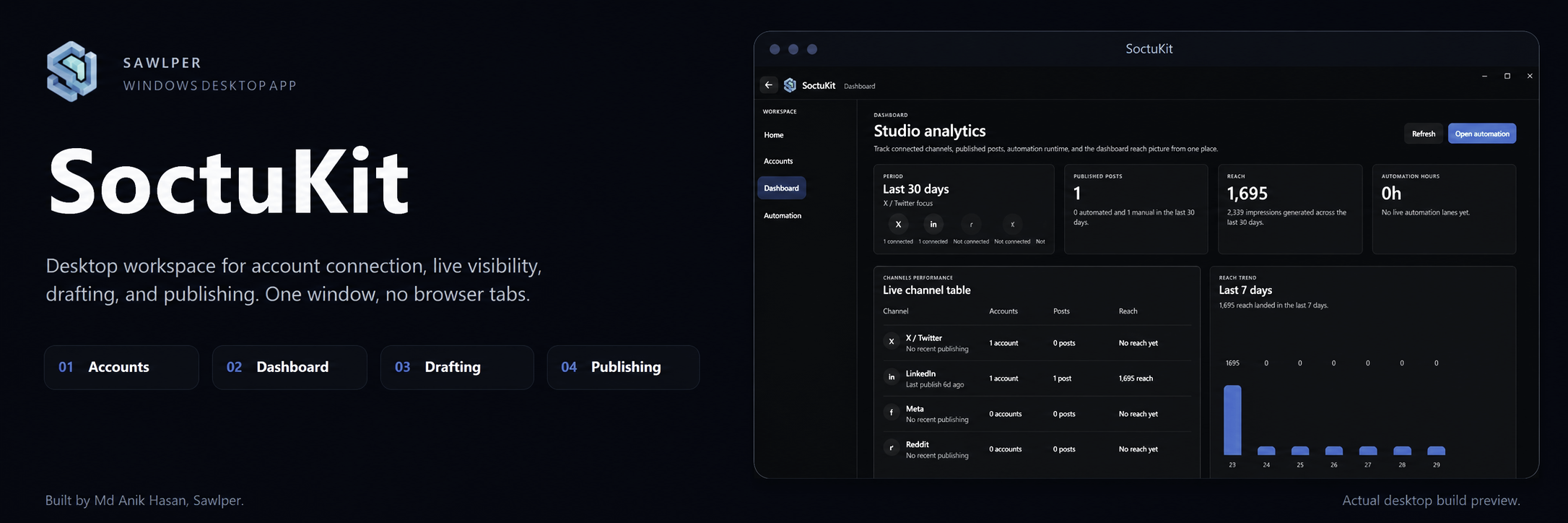
SoctuKit started as a way out of the tab juggling that comes with running multiple social platforms. Browser dashboards, scattered drafts, separate analytics: every tool wanted its own window. SoctuKit pulls connection, visibility, drafting, and publishing into a single Windows desktop app.
This repository is the public release page. Source code is not included.
Note for readers on the website: every image in this README is loaded from an absolute URL, so the page renders the same on GitHub and on mdanikhasan.com.
Highlights
One WorkspaceConnect every supported platform from a single window. No tab carousel. |
Live VisibilityDashboard, reach, and activity surfaced where you draft, not three clicks away. |
Native DesktopWinUI 3 shell. Tray, theme, and startup behavior live inside the app. |
Real InstallerShips as a proper Setup EXE. No exposed dev tree, no zip and pray. |
Local SecretsOAuth tokens land in Windows Credential Manager. App secrets stay on disk. |
Draft → PublishMove from topic to draft to publish without leaving the workspace. |
Built With











| Layer | Project | Purpose |
|---|---|---|
| Presentation | SoctuKit.App |
WinUI 3 shell, views, view models, navigation |
| Domain | SoctuKit.Core |
Pure business logic, interfaces, no Windows deps |
| Integrations | SoctuKit.Infrastructure |
OAuth, platform clients, credential storage |
| Tests | SoctuKit.Core.Tests, SoctuKit.Infrastructure.Tests |
xUnit + FluentAssertions |
| Installer | installer/SoctuKit.iss |
Inno Setup script that produces SoctuKitSetup.exe |
Preview
Accounts
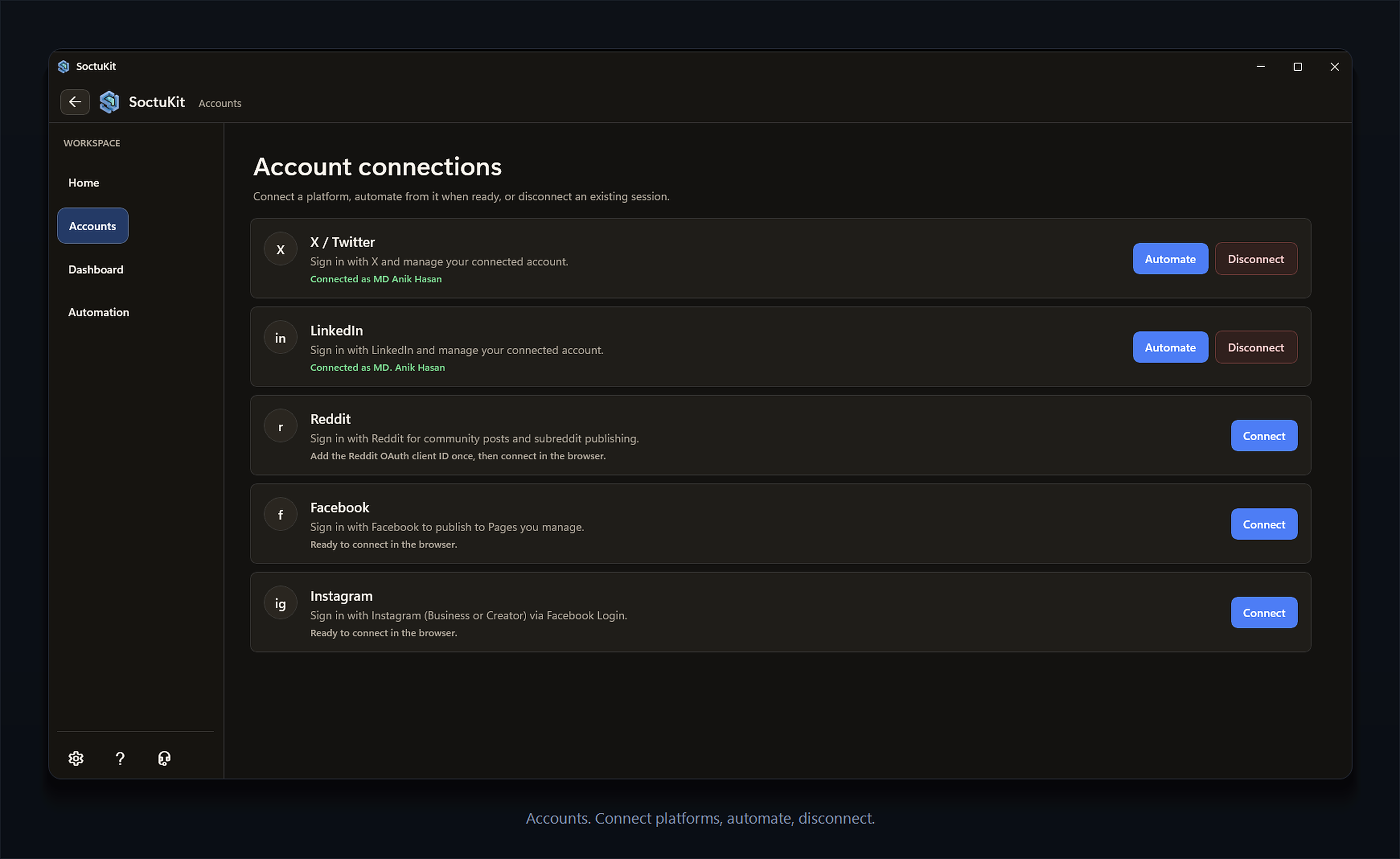
Connect, reconnect, or disconnect saved access from one panel.
Settings
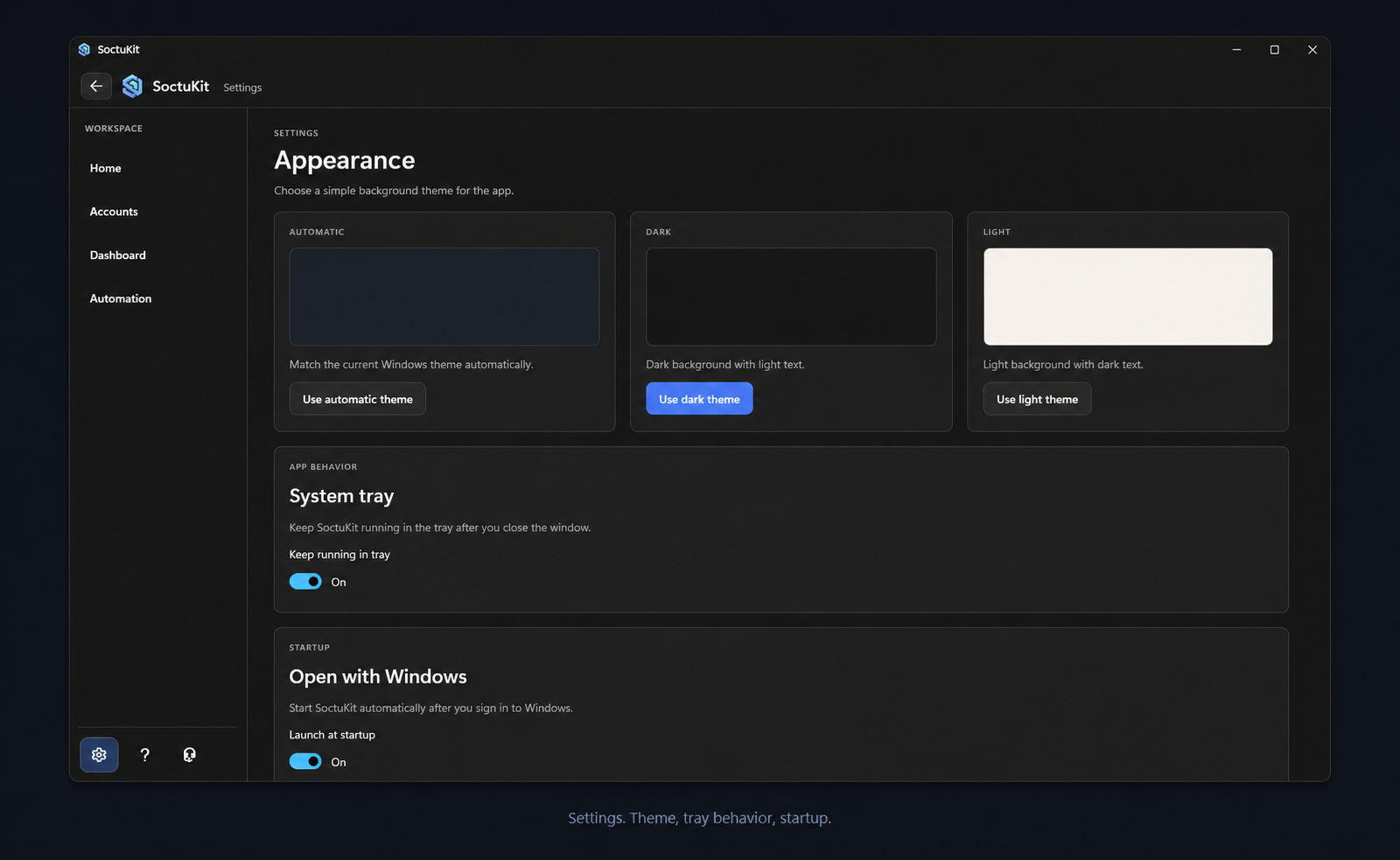
Appearance, tray, and startup behavior without digging through Windows settings.
Workflow





Platform Support
| Platform | Sign in | Publish | Notes |
|---|---|---|---|
 |
 |
|
Requires your own developer app |
 |
|
|
Client ID, secret, and callback required |
 |
 |
|
Not finished in this build |
 |
|
|
Not finished in this build |
 |
|
|
Not finished in this build |
Download
Release artifacts
| File | Purpose |
|---|---|
SoctuKitSetup.exe | Windows installer |
SoctuKitSetup.exe.sha256.txt | Integrity checksum |
SHA‑256
B76ED217C5B298DD0FAFCC316FB781DDF9D4C26E71D1AA4BBE5FE60D95365B6DDirect links
- Release page: https://github.com/mdanikhasan-dev/Soctukit/releases/tag/v1.0.0
- Installer: https://github.com/mdanikhasan-dev/Soctukit/releases/download/v1.0.0/SoctuKitSetup.exe
- Checksum: https://github.com/mdanikhasan-dev/Soctukit/releases/download/v1.0.0/SoctuKitSetup.exe.sha256.txt
- License: https://github.com/mdanikhasan-dev/Soctukit/blob/main/LICENSE
Verify the installer in PowerShell
Get-FileHash .\SoctuKitSetup.exe -Algorithm SHA256The output should match the SHA‑256 value above exactly.
Setup Notes
| Setting | What it does |
|---|---|
OPENAI_API_KEY | Enables stronger AI assisted content features |
| X developer app | Required before X sign in works |
| LinkedIn developer app | Required (client ID, secret, callback) |
| Reddit, Facebook, Instagram | Listed as coming soon in this public build |
Safety and Privacy
What is already in place




- Source code is not bundled in this public repository
- OAuth tokens are stored in Windows Credential Manager
- Saved platform app secrets remain on the local machine
- The app is distributed as a proper Windows installer, not a loose zip
What you should still know



- Windows may show a trust warning until SoctuKit ships with a publicly trusted code signing certificate
- Only download from the official GitHub repository or the official website
- No desktop app can be made impossible to reverse engineer, so confidential secrets should never be shipped inside a client app
License
SoctuKit is free to use but not open source.


You may not:
- modify it
- redistribute it
- rebrand it
- resell it
- reverse engineer it
- decompile it
- claim it as your own work
Full license: https://github.com/mdanikhasan-dev/Soctukit/blob/main/LICENSE
Support


| Developer | Md Anik Hasan |
| Company | Sawlper |
| Website | https://mdanikhasan.com |
| anikhasan2@iCloud.com |
Short Description
SoctuKit is a Windows desktop social publishing workspace for account connection, live visibility, drafting, and publishing, all in one place.

© Md Anik Hasan · Sawlper · SoctuKit v1.0.0